
Patient Record Management Software: A complete 2026 Guide
Complete guide to patient record management software: types, features, development steps, HIPAA compliance, cost ($30K-$300K), and integration.
Patient record management software is the system healthcare facilities use to store, retrieve, and manage patient data: demographics, medical history, prescriptions, test results, consent forms, billing records, and care plans. In modern hospitals it sits at the intersection of clinical workflow, regulatory compliance, and operational efficiency. Replacing the paper chart with a digital record is now standard practice in acute care, but the implementation reality differs widely across facility types, geographies, and care settings.
This guide is written for healthcare facility administrators, IT decision makers, and operations leaders evaluating either adoption of off-the-shelf patient record management products or commissioning a custom development partner. It covers what patient record management software does, the four deployment categories and when each fits, the feature set that determines real-world value, the development process for custom builds, regulatory compliance requirements, realistic cost ranges, and how to assess potential development partners.
Key Takeaways:
- 96% of US non-federal acute care hospitals had adopted certified EHR systems by 2021, up from 9% in 2008, while 78% of office-based physicians use EHR technology in some capacity (ONC, healthit.gov). The market shift is complete in acute care, but adoption depth and feature sophistication still vary widely.
- The global EHR-EMR market reached USD 31.5 billion in 2024 and is projected to grow to USD 46.6 billion by 2032 at a 5.01% CAGR (Credence Research, 2024). Hospitals account for approximately 53% of market share in 2024 (Grand View Research, 2024).
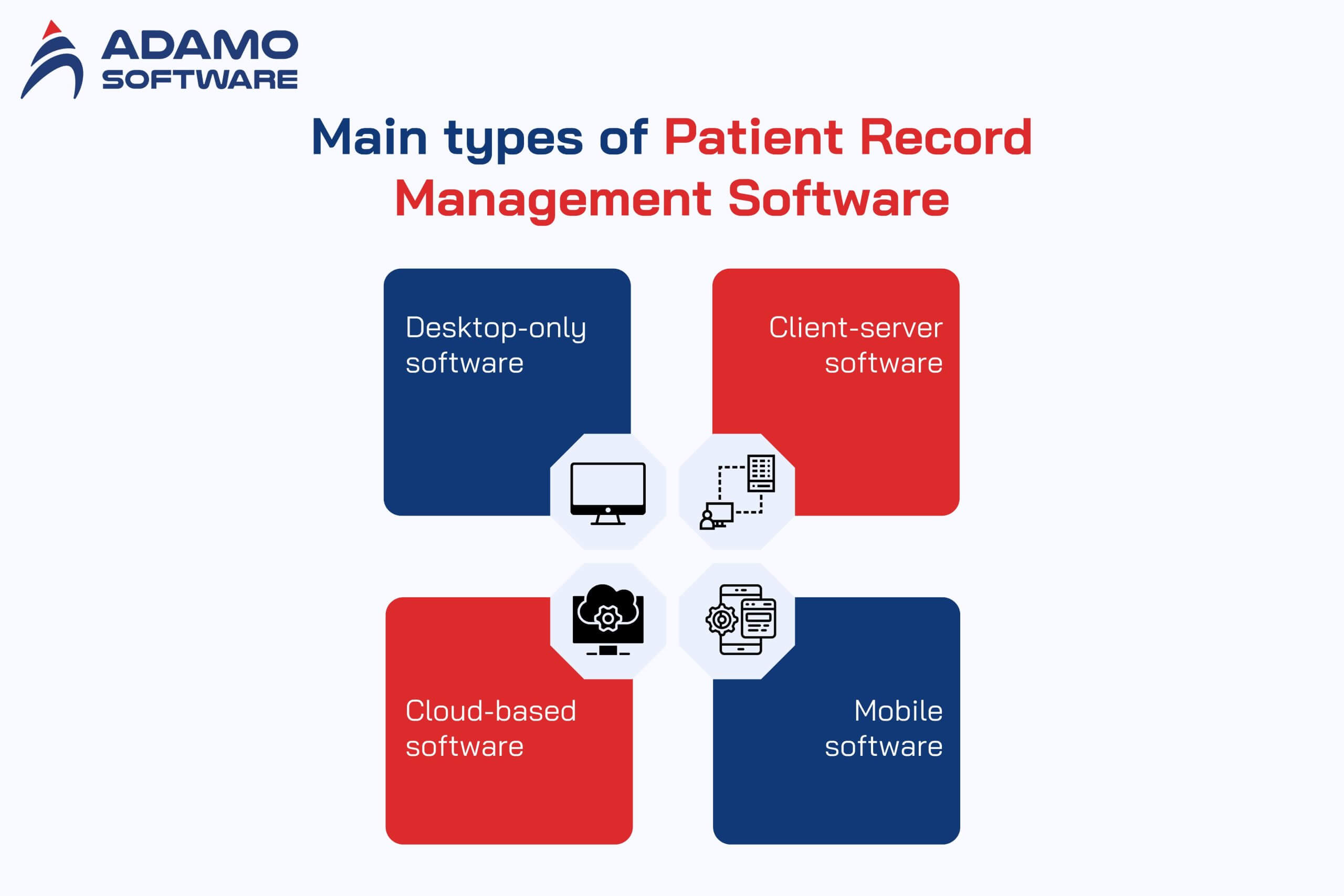
- Patient record management systems fall into four deployment categories: desktop-only (small clinics), client-server (mid-to-large facilities), cloud-based (multi-site and telehealth-enabled), and mobile (point-of-care and field-based). The choice drives most downstream decisions: cost, scalability, security architecture, and integration scope.
- Custom development costs typically range from USD 30,000 for a basic patient portal to USD 300,000+ for an advanced platform with EHR integration, AI insights, and multi-jurisdiction compliance. The cost driver is not headcount but regulatory and integration scope.
- Compliance requirements differ materially between markets: HIPAA, HITECH, and ONC certification in the US versus GDPR, ePrivacy Regulation, and NIS Directive in the EU. Custom builds must design for the specific jurisdictions of patient origin from the architecture stage.
I. What is patient record management software?
Patient record management software (also called a patient record management system, electronic medical record system, or electronic patient record platform) is the digital system that captures, stores, retrieves, and protects patient health information. It typically encompasses patient demographics, medical and treatment history, allergies and immunizations, prescriptions, lab and imaging results, billing and insurance information, consent documentation, and audit trails for regulatory compliance.
The system replaces decades-old paper-based medical record practices. Adoption has been driven by both clinical and operational pressure: paper records are easy to lose, difficult to share between providers, slow to retrieve in emergencies, and impossible to query across populations for quality measurement or research. Government incentive programs in the US (HITECH Act, 2009) and equivalents in the EU and other markets have made digital patient record management the operational baseline rather than a competitive differentiator.
The market is now mature in acute care. According to the Office of the National Coordinator for Health Information Technology (ONC), 96% of US non-federal acute care hospitals had adopted certified EHR systems by 2021, with adoption among office-based physicians reaching 78% in the same period (healthit.gov, 2024). Long-term care, behavioural health, and small ambulatory practices lag, with long-term care adoption at approximately 60% and behavioural health facilities reporting under 25% exclusive EHR use (Aptarro EHR Adoption Statistics, 2026).
II. 4 Main types of Patient Record Management Software
Different care settings drive different deployment architectures. The choice of deployment model determines most downstream decisions: scalability, security architecture, cost structure, and integration capability.
1. Desktop-only software
Desktop-only patient record management software runs on a specific computer and does not require network connectivity for routine operation. Data is stored locally, on the device or on attached storage. This model fits small clinics or independent medical facilities where a single provider or small team uses one central workstation.
Strengths: Security through isolation (no internet exposure surface), lower upfront cost, no requirement for network infrastructure or specialised IT support, predictable performance not dependent on connectivity.
Limitations: Data is concentrated on one device, so backup discipline becomes critical. If the device fails, the record is at risk. Access is location-bound. Sharing data with referral providers, labs, or insurance companies requires manual export. Not suitable for any practice with more than one location or more than two or three concurrent users.
2. Client-Server software
Client-server patient record management software runs on a central server within the facility, with workstations or devices acting as clients that access and update the centralised record. This model fits medium-to-large medical centres where multiple departments coordinate care for the same patient.
Strengths: Multiple concurrent users, granular permission control, centralised backup and security policy, room for performance scaling, ability to integrate with ancillary systems (laboratory information systems, picture archiving systems, EMR/EHR platforms).
Limitations: Significant upfront infrastructure cost (server hardware, network equipment, IT staff time). Server availability becomes a single point of failure unless redundancy is built in. Maintenance requires healthcare-aware IT capability that not every facility has in-house.
3. Cloud-based software
Cloud-based patient record management software runs on infrastructure managed by the software vendor or a third-party cloud provider (AWS, Azure, Google Cloud). Facility users access the system through web browsers or native apps from any internet-connected device. This model has become the default choice for new builds in the past decade.
Strengths: No on-premise infrastructure requirement, automatic vendor-managed updates and patching, accessibility from any location for telehealth and multi-site workflows, easier integration with modern AI and analytics services, lower upfront cost with operational expense (subscription) model.
Limitations: Subscription costs accumulate over time, potentially exceeding owned infrastructure cost over a 5-10 year window. Dependent on internet connectivity for all operations. Data residency and jurisdictional compliance requirements (for example, EU patient data under GDPR) can complicate vendor selection. Security trust must extend to the vendor’s operational practices.
4. Mobile software
Mobile patient record management software is purpose-built for smartphones and tablets, allowing point-of-care access for clinicians who are not at a desktop workstation. This category usually complements rather than replaces one of the three above, but in some care settings (home health, mobile medicine, field nursing) the mobile interface is the primary access point.
Strengths: Point-of-care access for bedside documentation, mobile workforce support for home health and emergency response, hardware features like barcode scanning and voice notes that desktop software cannot match.
Limitations: Smaller screen real estate constrains the amount of information clinicians can review at once. Network connectivity remains critical and varies across care settings. Mobile devices are easier to lose or steal, raising security requirements (encryption at rest, remote wipe capability, multi-factor authentication).
In practice, most modern healthcare deployments combine two or more of these models: cloud-based as the system of record, with mobile clients for point-of-care access and desktop clients for administrative work. Pure single-deployment-model implementations are increasingly rare outside very small practices.
III. 10 key features of patient record management software
The feature checklist matters less than how features integrate into the clinical and operational workflow. The following are the capabilities that determine whether a patient record management system actually improves care versus simply digitising paper.
1. Patient demographic and identity management
Accurate patient identity is the foundation of every other function. The system must capture and maintain demographics (name, date of birth, address, contact information), identifiers (medical record number, insurance ID, government ID where applicable), and emergency contact details. Duplicate patient record detection and merge workflows are critical, particularly in facilities that see walk-in patients or accept transfers.
2. Medical history and clinical documentation
Comprehensive clinical documentation includes present conditions, past medical history, surgical history, allergies, current and previous medications, immunisation records, and relevant family history. The documentation structure should support both structured data entry (for analytics and decision support) and unstructured clinical notes for nuance that structured fields cannot capture.
3. Appointment scheduling and patient portal access
Two interconnected features that drive both operational efficiency and patient experience. Internal appointment scheduling manages provider calendars, resource allocation (rooms, equipment), and overbooking rules. Patient-facing portal access allows patients to book, reschedule, and confirm appointments without staff intervention, which reduces front-desk workload measurably in most deployments.
4. Prescription management and e-prescribing
Digital prescription generation, transmission to pharmacy, refill management, and integration with drug knowledge bases for allergy and interaction checking. In the US, e-prescribing of controlled substances (EPCS) carries specific DEA identity-proofing requirements that affect both software design and clinician onboarding workflow.
5. Test scheduling, results integration, and laboratory interface
Order entry for laboratory and imaging studies, integration with laboratory information systems and PACS for results retrieval, and structured result review workflows. Standards for this integration are HL7 v2 in legacy environments, increasingly FHIR R4 in newer implementations.
6. Medical billing and revenue cycle management
Charge capture from clinical documentation, claim generation, insurance eligibility verification, payment posting, and accounts receivable management. For facilities serving multiple insurance markets, this module is operationally and financially the highest-stakes part of the patient record management system.
7. Telemedicine and video consultation
Real-time video consultation infrastructure with appropriate compliance (HIPAA for US, GDPR for EU). Asynchronous secure messaging for routine clinical communication. File exchange for medical record review. Build options range from licensed components (Twilio Video, Vonage Video API) to open-source WebRTC stacks.
8. Custom electronic documentation and forms
Configurable forms and document templates that match specialty-specific clinical workflow (oncology treatment plans, mental health assessment instruments, post-operative recovery checklists). Off-the-shelf systems vary widely in how flexibly forms can be customised; custom builds have an advantage in specialty-specific workflows.
9. Reporting, analytics, and clinical decision support
Operational dashboards (appointment utilisation, billing aging, clinical productivity), clinical quality measure reporting (CMS quality measures in the US, equivalent measures elsewhere), and clinical decision support triggers (allergy alerts, drug-drug interaction warnings, preventive care reminders).
10. Audit trail, role-based access, and compliance reporting
Every action in the system generates an audit log entry: who accessed what record, who modified what field, when, from where, and using which authentication method. This audit trail is the basis for both internal quality review and external regulatory inspection. Role-based access controls ensure that staff see only the data appropriate to their role and the patient’s consent.
IV. Custom development: An 8-step guide for healthcare facilities
For facilities that determine their needs are not adequately served by mainstream patient record management products, custom development is a viable path. The following eight-step process reflects how most experienced healthcare software development partners structure a custom build.
1. Define goals and prioritise requirements
The first step is clarity on what the system should accomplish: increase patient engagement, reduce administrative workload, support specific clinical workflows, replace a system that no longer scales. From this, derive functional requirements (what the system does) and non-functional requirements (performance, security, regulatory compliance, integration scope). Prioritise rigorously: most custom builds fail by trying to deliver everything in version one.
2. Determine features and capability scope
Translate prioritised requirements into a feature list, scoped against a realistic Minimum Viable Product target for the first release. The MVP should include the core clinical workflow (patient identity, scheduling, documentation, prescriptions, basic billing) plus the minimum compliance and security requirements. Advanced capabilities (AI clinical decision support, complex analytics, deep third-party integration) belong in later versions.
3. Design intuitive UX and UI
Healthcare software UX is frequently poor. Clinical workflows are interrupted by tools designed without clinician input, leading to documentation fatigue and workarounds that degrade data quality. Investment in workflow-aware UX design pays off in both adoption and downstream data quality. Accessibility design is also a requirement, not an optional feature, particularly for patient-facing portal interfaces.
4. Choose the technology stack
Backend choices are typically Node.js, Python (Django or Flask), Java (Spring), .NET, or PHP. Database choices depend on the data shape: SQL (PostgreSQL, MySQL) for structured clinical and billing data, sometimes NoSQL (MongoDB) for unstructured document or imaging metadata. APIs use REST patterns broadly, with GraphQL adoption growing for complex query patterns. Cloud infrastructure choices (AWS, Azure, Google Cloud) carry implications for compliance certifications and data residency.
5. Comply with healthcare regulations and security standards
This is the step where custom builds most often underestimate scope. Compliance is not a checklist applied at the end; it is an architectural decision applied at the start.
United States requirements: HIPAA (privacy and security of protected health information), HITECH Act (breach notification and EHR adoption requirements), ONC certification for EHR systems (for facilities participating in Medicare/Medicaid incentive programs), DEA Electronic Prescribing of Controlled Substances rules.
European Union requirements: GDPR (data protection and privacy), ePrivacy Regulation (electronic communication consent), NIS Directive (cybersecurity for essential services including healthcare), member-state specific health data regulations.
Cross-cutting security practices: Strong authentication (OAuth2, JWT, multi-factor), encryption in transit (TLS 1.2 or higher) and at rest (AES-256 typical), role-based access control with audit logging, regular penetration testing and vulnerability scanning.
6. Build using an Agile or iterative methodology
Healthcare software requirements evolve during development as clinical end users see what is being built. Waterfall methodologies that fix requirements upfront historically produce systems that miss real-world workflow needs. Agile or iterative methodologies, with two-week sprints and regular clinical stakeholder review, produce better outcomes in custom healthcare builds.
7. Quality assurance and continuous testing
Functional testing verifies features work as specified. Security testing verifies that protected health information cannot be accessed inappropriately, that audit logs capture what they should, and that authentication cannot be bypassed. Usability testing with actual clinical users surfaces workflow problems that pure functional testing misses. Integration testing verifies that data flows correctly between modules and to external systems. For systems serving multiple geographies, localisation testing verifies language, date format, and regulatory variant handling.
8. Integrate with existing healthcare systems
A patient record management system rarely operates in isolation. It must integrate with laboratory information systems, pharmacy systems, picture archiving systems, hospital information systems, insurance verification services, and increasingly with regional health information exchanges. Integration standards are HL7 v2 for legacy systems and FHIR R4 for modern interfaces. Integration scope is often the largest underestimated component of total project cost.
V. Cost ranges and what drives them
Custom patient record management software development costs range widely. The honest answer is that any specific quote depends on scope, but published industry data and project experience suggest the following bands:
Basic patient portal or simple practice management system: USD 30,000 to USD 60,000
Scope: appointment scheduling, basic patient communication, access to medical records, simple billing functions. Suitable for small ambulatory practices, single-location clinics, or facilities adding patient-facing capability to an existing EHR.
Mid-tier facility patient record management system: USD 60,000 to USD 150,000
Scope: full clinical documentation workflow, prescription management, laboratory and imaging integration, billing and revenue cycle management, mobile access for clinicians, role-based access control with audit logging. Suitable for mid-size clinics, single-specialty practices with complex workflow, or behavioural health facilities.
Advanced or multi-site hospital-grade system: USD 150,000 to USD 300,000+
Scope: comprehensive clinical workflow across multiple departments and care settings, EHR integration, telehealth integration, AI-driven clinical decision support, multi-language and multi-jurisdiction compliance, custom reporting and analytics, integration with regional health information exchanges. Suitable for hospitals, multi-site facility groups, and international healthcare networks.
The variables that move cost most: regulatory scope (number of jurisdictions, depth of compliance certification required), integration surface (number of existing systems the new system must talk to), customisation depth (off-the-shelf module configuration versus from-scratch clinical workflow), data migration scope (volume and condition of legacy data to be brought into the new system), and ongoing maintenance and support model.
VI. Implementation best practices
Custom development is only part of the success equation. Implementation determines whether the built system actually delivers value.
Engage clinical stakeholders early and continuously. Systems built without clinician input fail predictably. Build a clinical advisory group during requirements, keep them engaged during development, and run pilot phases with their facilities before broader rollout.
Develop a staff training program. HIPAA-equivalent requirements in most jurisdictions mandate training for staff handling protected health information. Beyond compliance, training quality directly correlates with adoption depth and workflow fit.
Define patient record classification and retention policy. Different record types have different retention requirements (financial records, clinical records, consent forms). Build classification and retention into the system architecture, not as an afterthought.
Plan for continuous security improvement. Compliance is a moving target. Regulatory expectations rise, threat models evolve, and vulnerability disclosure cycles continue. Build security review and update cycles into the operational plan.
Conduct regular compliance audits. Internal audits ahead of external regulatory inspection protect both compliance posture and patient trust. Most healthcare facilities under-invest in this and discover gaps during actual regulatory review.
VII. Partner with Adamo for the perfect custom patient record management software

Are you looking for a partner who can help you deploy your patient record management software idea? If yes, Adamo Software can be your ideal choice. As one of Vietnam’s leading healthcare technology companies, Adamo Software can be your trusted partner. Adamo provides specialized software development services, with flexible features, to optimize patient management processes, minimize errors and increase work efficiency for medical teams. Here’s how Adamo can help.
- Custom software development: creating a patient record management software solution specifically designed to fit your facility’s needs and processes.
- Robust feature integration: Integrate key features such as patient record management, appointment scheduling, medical billing, online consultation, and automated reminders.
- Enhancing work efficiency: Reduce manual work, optimize workflow, and improve efficiency in managing patient information and medical services.
- Improved Patient Experience: Provide features that make it easy for patients to access information, manage appointments, and receive reminders, thereby improving satisfaction and treatment compliance.
- Ongoing Support: Provide technical support and software maintenance services to ensure the system is always stable and meets all future development requirements.
Still hesitating whether to choose Adamo Software as your partner? Let’s contact us for more detailed information!
FAQs
1. How does patient record management software help healthcare facilities?
It helps store, manage and access patient information efficiently, minimize manual errors, optimize workflows and improve the quality of patient care.
2. Can the software be customized to suit the specific needs of a healthcare facility?
Yes, the software can be customized to suit the specific requirements of a healthcare facility, including features, interfaces and workflows to suit the specific characteristics of each organization.
3. Does the software support appointment management and patient reminders?
Yes, the software supports appointment management and automatically sends reminders to patients, helping to reduce missed appointments and ensure compliance during treatment.
4. Can the software integrate with other systems such as billing or hospital management systems?
The software has the ability to integrate with other systems, helping to connect and synchronize data between related software, such as payment systems or hospital management software.
5. Is the software easy to use?
The software is designed with a friendly and easy-to-use interface, helping medical staff and patients quickly get acquainted and use it effectively without requiring special technical skills.

 adamosoft.com
 (+84) 373 11 44 88