
How to build an AI Agent: Architecture, Tools, and Deployment Guide for 2026
Learn how to build an AI agent from scratch. Covers core architecture, frameworks like LangChain and AutoGen, deployment strategies, and cost factors.
Building an AI agent requires more than connecting a large language model to an API. The global AI agents market reached $7.63 billion in 2025 and is projected to grow at a 49.6% CAGR through 2033 (Grand View Research, 2025), yet over 40% of agentic AI projects face cancellation risk due to poor architecture decisions and unclear deployment strategies (Gartner, 2025). This guide breaks down the core components, framework choices, and deployment practices that separate production-ready AI agents from failed prototypes.
Key takeaways:
- An AI agent consists of five core components: LLM backbone, memory system, tool integration layer, planning module, and orchestration layer. Missing any one of these leads to unreliable behavior in production.
- Start with single-agent architecture. Single-agent systems held 59.24% market share in 2025 because they are simpler to build, test, and maintain. Only move to multi-agent setups when the task complexity demands specialization.
- Framework selection matters. LangGraph suits teams needing fine-grained workflow control. Microsoft AutoGen is built for multi-agent collaboration. CrewAI works well for role-based agent coordination.
- Over 40% of agentic AI projects risk cancellation by 2027 due to unclear ROI, overengineered architecture, and weak governance. Define measurable success criteria before writing any code.
- Budget for three cost layers: development ($2,500-$25,000/month per engineer depending on location), infrastructure ($0.50-$15 per million tokens for LLM APIs), and ongoing maintenance (15-25% of initial build cost annually).
What Is an AI Agent and How Does It Differ from a Chatbot
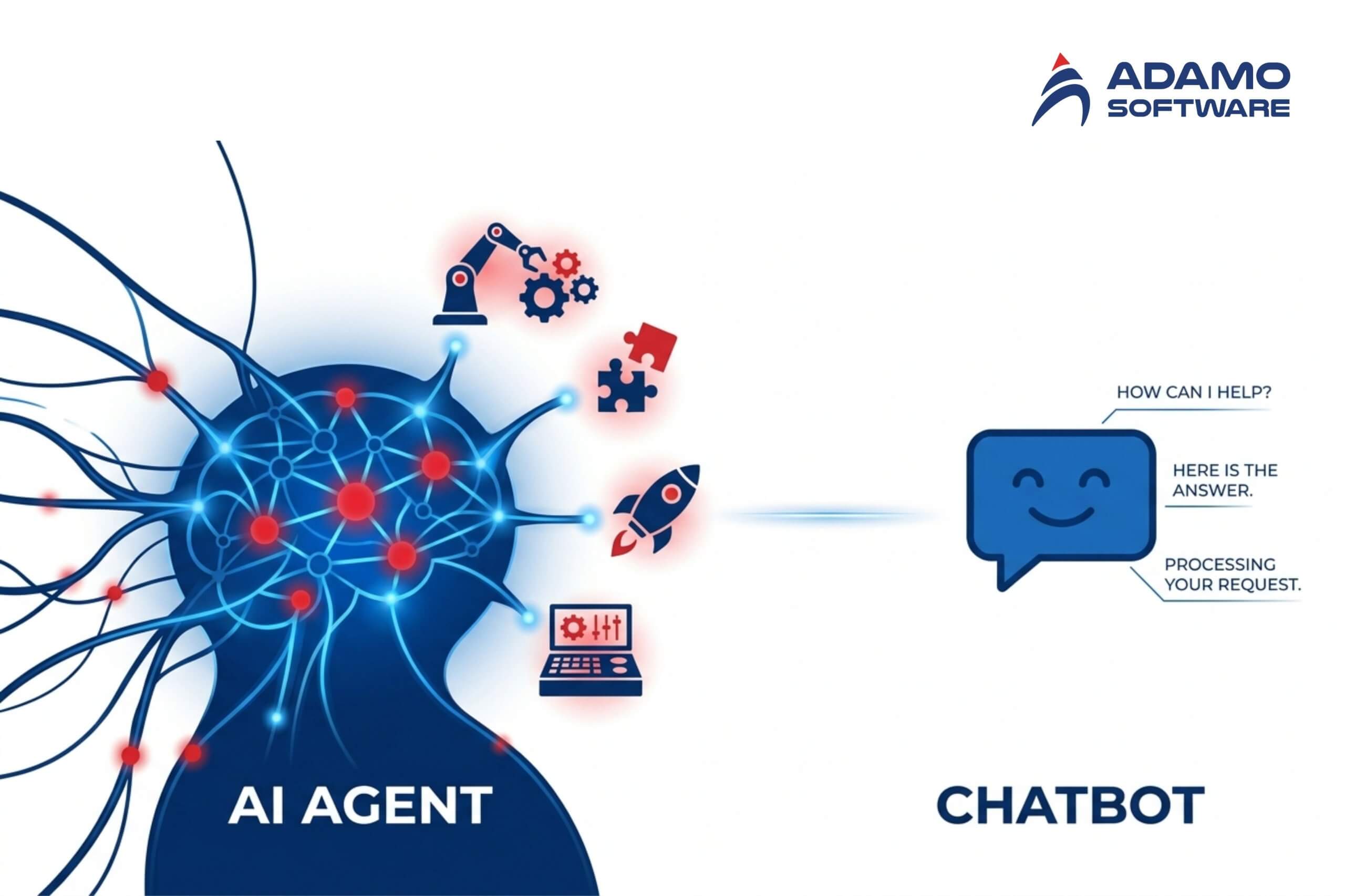
An AI agent is a software system that can autonomously plan, execute, and adapt multi-step tasks on behalf of a user or another system. Unlike traditional chatbots that respond to individual prompts in isolation, AI agents maintain memory across interactions, use external tools to gather information or take actions, and adjust their approach when initial attempts fail.
The distinction matters for technical planning. A chatbot processes one input-output cycle at a time. An AI agent operates in a loop: it observes its environment, reasons about the next step, executes an action using available tools, evaluates the result, and repeats until the goal is met. According to Gartner, 40% of enterprise applications will embed task-specific AI agents by the end of 2026, up from less than 5% in 2025. That shift reflects a fundamental change in how businesses approach AI business applications and automation at scale.
Core Architecture of an AI Agent
Every production AI agent consists of five interconnected components. Understanding each component helps development teams make better architectural decisions before writing a single line of code.
- LLM backbone. The reasoning engine that powers decision-making. Most AI agents in 2026 use models like GPT-4o, Claude, Gemini, or open-source alternatives such as Llama and Mistral. The choice depends on latency requirements, cost tolerance, and whether the agent needs to run on-premise or in the cloud.
- Memory system. AI agents require both working memory (current task context) and persistent memory (historical interactions stored as vector embeddings). Working memory holds the active conversation and task state. Persistent memory uses vector databases like Pinecone, Weaviate, or pgvector to retrieve relevant past context through semantic similarity search.
- Tool integration layer. AI agents interact with external systems through tool calls. Tools can include APIs, databases, web search, code execution environments, or file systems. The Model Context Protocol (MCP), introduced by Anthropic, is emerging as a standard interface for connecting AI agents to external tools and data sources.
- Planning and reasoning module. The agent decomposes complex goals into sequential or parallel sub-tasks. Common patterns include ReAct (Reasoning + Acting), chain-of-thought prompting, and tree-of-thought planning. The planning module determines which tools to use, in what order, and how to handle failures at each step.
- Orchestration layer. The component that manages the agent’s execution loop, including retry logic, error handling, timeout management, and human-in-the-loop checkpoints. In multi-agent systems, the orchestration layer also coordinates communication between agents.
Single-Agent vs Multi-Agent Architecture
Choosing between single-agent and multi-agent architecture is one of the earliest design decisions. Single-agent systems dominated the market in 2025, holding 59.24% market share (Grand View Research, 2025). Single-agent systems are simpler to build, test, and debug.
- Single-agent architecture works well for focused tasks where one agent handles the entire workflow: customer support triage, document summarization, or data extraction pipelines. The agent has one reasoning loop, one memory store, and one set of tools.
- Multi-agent architecture suits complex workflows where different agents specialize in distinct sub-tasks. For example, a research agent gathers data, an analysis agent processes the data, and a reporting agent generates outputs. Frameworks like Microsoft AutoGen and CrewAI are designed specifically for multi-agent coordination. Multi-agent systems introduce communication overhead, state synchronization challenges, and higher latency. They should only be used when the task complexity genuinely requires specialization.
Choosing the Right AI Agent Framework
The framework choice shapes development speed, scalability, and long-term maintainability. Here are the frameworks that have proven most reliable in production environments as of 2026.
- LangChain and LangGraph. LangChain remains the most widely adopted framework for building LLM-powered applications. LangGraph extends LangChain with graph-based workflow orchestration, making it suitable for complex agentic workflows with branching logic and cycles. LangGraph is the recommended choice for teams that need fine-grained control over agent behavior.
- Microsoft AutoGen. An open-source multi-agent conversation framework with over 45,000 GitHub stars. AutoGen excels at collaborative agent workflows where multiple agents need to communicate, share context, and delegate tasks. AutoGen integrates natively with the Microsoft ecosystem, including Azure OpenAI and Semantic Kernel.
- CrewAI. A popular framework for role-based multi-agent systems. CrewAI lets developers define agents with specific roles, goals, and backstories, then assigns them to collaborative tasks. CrewAI is widely adopted in customer service automation and marketing workflows.
- Google Agent Development Kit (ADK). A modular framework announced in April 2025 that integrates with Google Gemini and Vertex AI. Google ADK supports hierarchical agent compositions and claims to require fewer than 100 lines of code for basic agent deployment.
- SmolAgents by Hugging Face. A minimalist, code-first framework where the LLM writes and executes standard Python code rather than generating JSON-based tool calls. SmolAgents is well-suited for developers who prefer lightweight setups without heavy framework dependencies.
Step-by-Step Process to Build an AI Agent
Building an AI agent follows a structured process, similar to how to build AI software in general but with additional complexity around autonomy and tool orchestration. Skipping steps or rushing to deployment is a primary reason so many pilots stall. McKinsey’s State of AI survey (2025) found that while 88 percent of organizations use AI, nearly two-thirds have not scaled it beyond pilots.
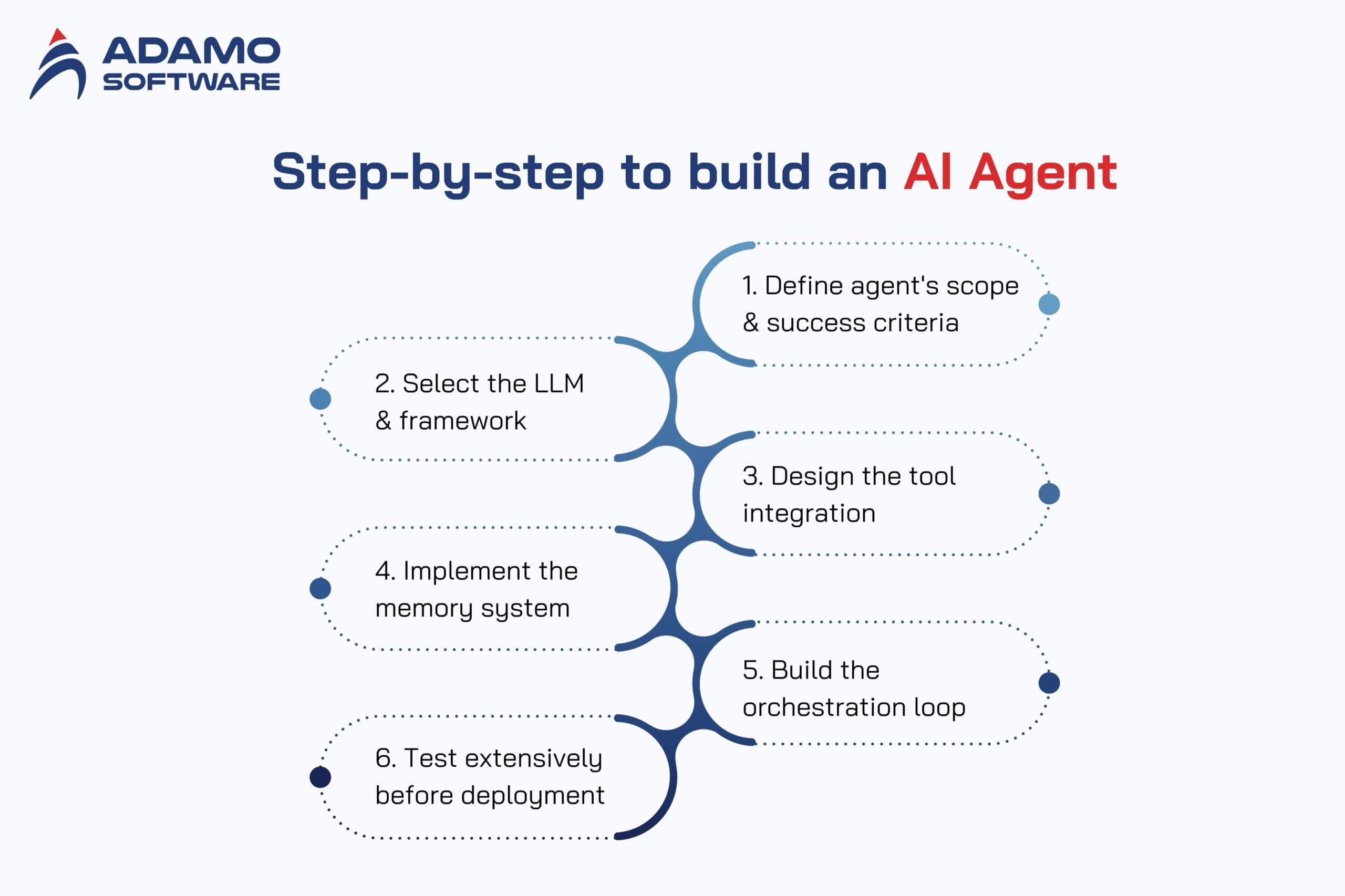
Step 1: Define the agent’s scope and success criteria
Start with a narrow, well-defined use case. Specify exactly what the agent should do, which tools the agent needs access to, and how to measure success. A customer support agent that resolves billing inquiries is a clear scope. An agent that “helps with everything” is not.
Step 2: Select the LLM and framework
Match the model to the task requirements. High-reasoning tasks may require GPT-4o or Claude. Cost-sensitive, high-volume tasks may work with smaller models like Mistral or fine-tuned Llama variants. Choose the framework based on whether the workflow is single-agent or multi-agent.
Step 3: Design the tool integration
Map out every external system the agent needs to interact with. Define clear input/output schemas for each tool. Implement error handling for API failures, rate limits, and timeouts. Use MCP or function-calling interfaces to standardize tool access. Teams that lack experience with AI integration should document every API dependency before writing orchestration logic.
Step 4: Implement the memory system
Set up a vector database for persistent memory. Define the chunking strategy for storing past interactions. Implement retrieval logic that balances relevance with recency. Test memory recall accuracy before connecting the memory system to the agent.
Step 5: Build the orchestration loop
Implement the observe-reason-act cycle. Add retry logic with exponential backoff for tool failures. Include human-in-the-loop checkpoints for high-stakes decisions. Set maximum iteration limits to prevent infinite loops.
Step 6: Test extensively before deployment
Test individual components in isolation first, then test the full agent workflow end-to-end. Create test cases for edge cases, ambiguous inputs, and tool failures. Evaluate the agent’s behavior when it receives conflicting information or when tools return unexpected results.
Deployment Strategies for Production AI Agents
Deploying an AI agent to production introduces challenges that do not exist in development environments. Latency, cost management, and observability become critical.
- Cloud deployment is the most common approach. AWS Lambda, Google Cloud Functions, or Azure Functions provide serverless execution for lightweight agents. For agents with persistent state or long-running tasks, containerized deployments on Kubernetes or Amazon ECS offer more control.
- Edge deployment is emerging for latency-sensitive use cases. Smaller models running on edge devices can handle initial triage, with complex queries escalated to cloud-based agents. This hybrid approach reduces response times and cloud compute costs.
- Observability and monitoring are non-negotiable. Track token usage per request, tool call success rates, agent completion rates, average task duration, and error patterns. Tools like LangSmith, Arize AI, or custom logging pipelines help teams identify issues before they affect users.
- Cost management requires attention from day one. LLM API costs scale with token volume. Implement caching for repeated queries, use smaller models for simple sub-tasks, and set spending limits per agent instance. Companies that monitor AI compute costs in real time avoid budget surprises.
Common Mistakes That Cause AI Agent Projects to Fail
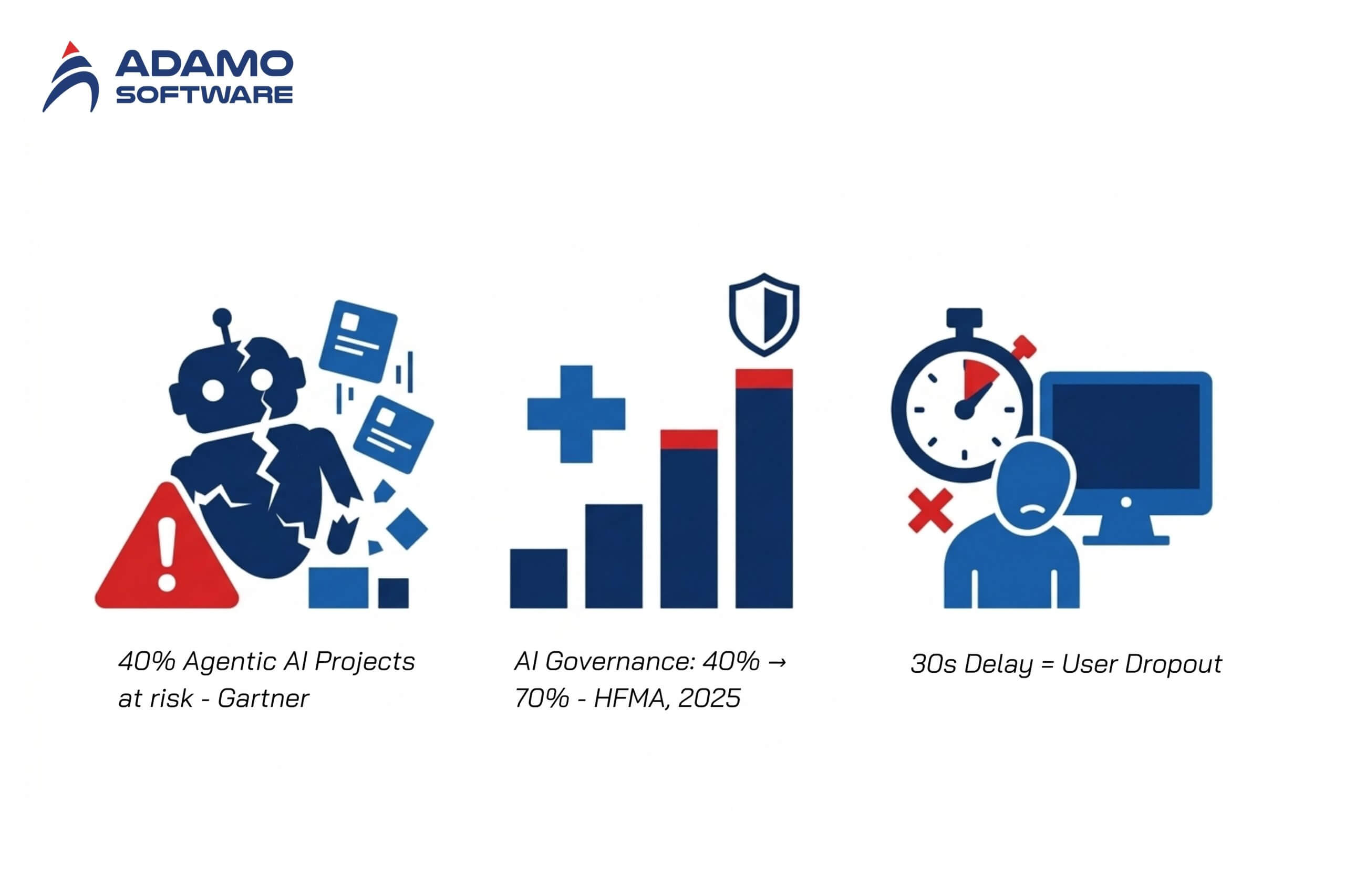
Over 40% of agentic AI projects are at risk of cancellation by the end of 2027, according to Gartner. Understanding the common pitfalls of agentic AI implementation helps teams avoid repeating the same mistakes. The most common failure patterns are avoidable.
- Unclear business value. Teams build agents without defining measurable ROI. If the agent does not save time, reduce costs, or improve quality in a quantifiable way, stakeholders lose confidence quickly.
- Overengineering the architecture. Starting with a multi-agent system when a single agent would suffice adds unnecessary complexity. Begin with the simplest architecture that solves the problem, then scale.
- Insufficient governance. AI agent governance has shifted from high-level policy to operational necessity. AI governance awareness in healthcare grew from 40% to 70% in 2025 (HFMA, 2025). Production agents need logging, audit trails, and human override mechanisms from day one.
- Ignoring latency in production. An agent that takes 30 seconds to respond in a customer-facing workflow will be rejected by users regardless of accuracy. Optimize the critical path and set response time budgets for each step.
How Much Does It Cost to Build an AI Agent
The cost of building an AI agent varies significantly based on complexity, but businesses should budget for three categories.
1. Development cost
A basic single-agent system with pre-built frameworks typically requires 2-4 weeks of senior developer time. Complex multi-agent systems with custom tool integrations can take 2-6 months. Engaging a dedicated development team in Vietnam costs between $2,500 and $5,000 per engineer per month fully loaded, compared to $15,000 and $25,000 for equivalent talent in the United States.
2. Infrastructure cost
LLM API costs range from $0.50 to $15 per million tokens depending on the model. Vector database hosting starts at $50-200 per month for small-scale deployments. Cloud compute for orchestration adds $100-500 per month depending on traffic volume.
3. Ongoing maintenance
AI agents require continuous monitoring, prompt tuning, and tool integration updates. Plan for 15-25% of initial development cost annually for maintenance.
Conclusion
Building an AI agent that works in production requires deliberate architecture decisions, the right framework selection, and a deployment strategy that accounts for cost, latency, and observability. The teams that succeed start with narrow use cases, validate with real users early, and invest in governance and monitoring before scaling. As the AI agent market keeps compounding at the 49.6 percent CAGR Grand View Research projected in 2025, businesses that invest in AI development services and build internal competency now will hold a significant advantage.
Integrate AI Into Your Product With Adamo
Adamo Software helps businesses build production-ready AI agents, from single-agent automation to multi-agent orchestration systems. Our AI engineers have hands-on experience with LangChain, AutoGen, RAG pipelines, and LLM integration across healthcare, travel, and enterprise workflows. Whether you need an AI proof of concept or a fully deployed agentic system, Adamo Software works alongside your team to deliver AI solutions that solve real business problems.
Explore our AI Development Services: https://adamosoft.com/ai-development-services/
Contact us for a free consultation: https://adamosoft.com/contact-us/

 adamosoft.com
 (+84) 373 11 44 88